
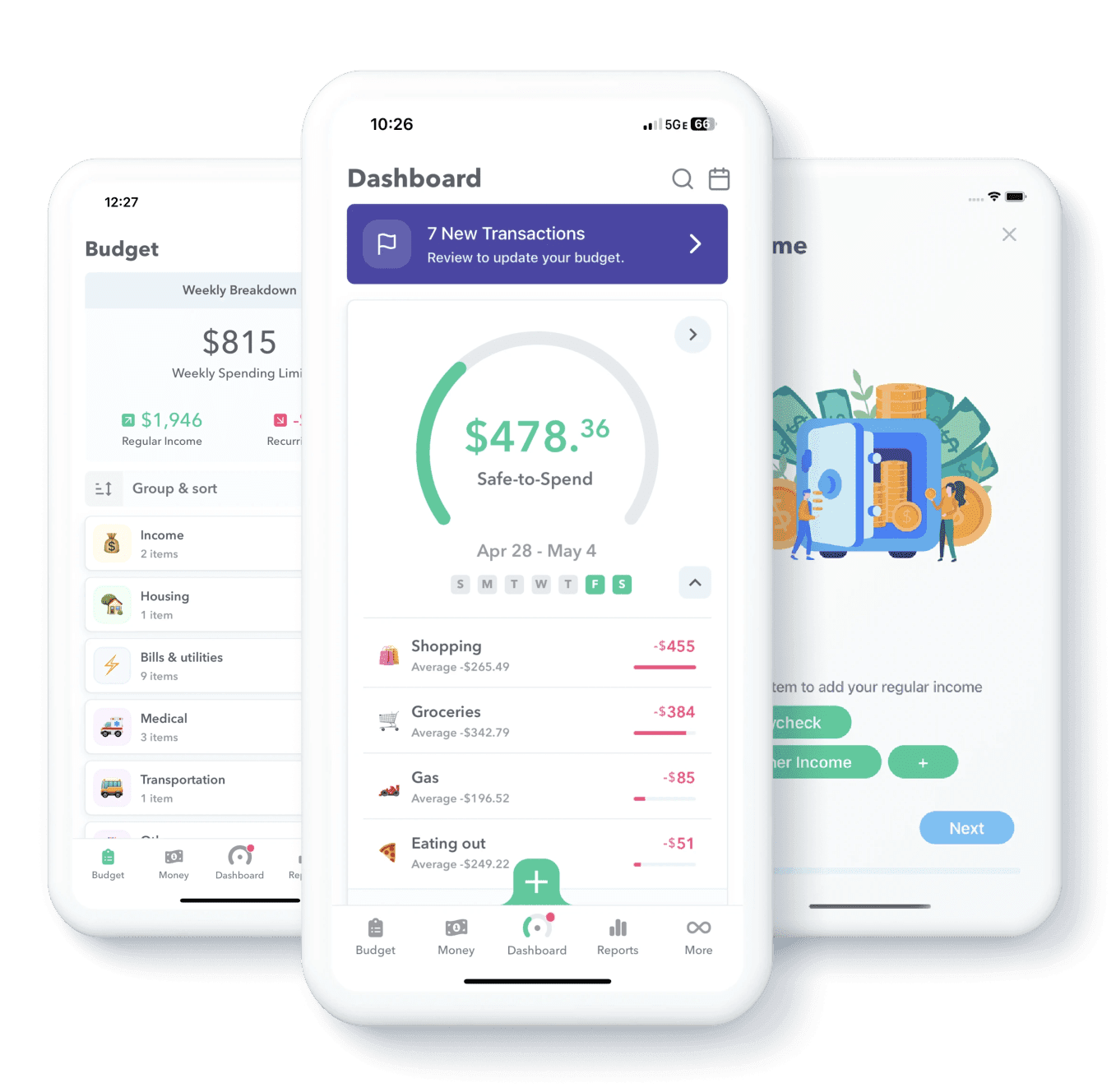
Safe-to-Spend, always visible
One number on the home screen, updated in real time as transactions clear. No menus, no taps, no math.
Learn more → Safe-to-SpendWeekly turns your whole budget into a single Safe-to-Spend amount. No categories. No spreadsheets. Just clarity, one week at a time.
Tracking a dozen categories sounds organized. In practice, it's the reason you stop. No envelopes to fill, no categories to balance — Weekly collapses your whole budget — income, bills, savings, goals — into a single weekly allowance. Stay under it and you're done.
Twelve categories, three tabs, a half-month of guilt.
Spend under it, you're on track. That's the whole system.
You set Weekly up once. It updates your Safe-to-Spend automatically as transactions roll in.
Plaid links Weekly to over 10,000 banks and credit unions. Transactions sync automatically — no manual logging.
Rent, subscriptions, bills — anything fixed. Weekly subtracts these from your income before calculating what's left to spend.
Whatever's left becomes your Safe-to-Spend. Stay under it. Roll the leftover into savings. Start fresh on Monday.
Answer a few quick questions about your income and bills, and we'll show you what your weekly number would look like. Nothing you enter leaves your browser — no account, no email required.
Try the Budget BuilderOne number on the home screen, updated in real time as transactions clear. No menus, no taps, no math.
Learn more → Safe-to-Spend10,000+ institutions via Plaid. We sync on demand — never sit waiting for a refresh.
Connecting your bank → Connecting your bankSee what's due, when. No surprise charges.
Bills → BillsSet aside a little each week. Watch it stack up.
Goals → GoalsShare a budget with your partner without sharing logins.
Couples → CouplesA live picture of where your money's going — without forcing you to categorize every coffee.
Spending tracker → Spending trackerAuto-build from your real recurring transactions, then refine. No blank-page paralysis.
Build your budget → Build your budgetWhat people who set out to save with Weekly put away each month.
| Monthly savings | Share of savers |
|---|---|
| None at all | Low |
| $0–$50/mo | Moderate |
| $50–$100/mo | Highest |
| $100–$250/mo | Highest |
| $250–$500/mo | Moderate |
| +$500/mo | Low |
I've tried Mint, YNAB, Copilot, and three different spreadsheets. Weekly is the only one I've actually stuck with. The single number is everything.
Plaid handles every bank connection — read-only, no password sharing, the same service Venmo and Robinhood use.
End-to-end encrypted in transit and at rest. Stored on Google Cloud's regulated infrastructure — never sold, never shared.
Request an account delete from Settings. We confirm with you, then permanently erase everything from our systems.
Yes. Bank connections are handled by Plaid — the same service Venmo, Robinhood, and Coinbase use. It's read-only: Weekly never sees your bank password and can't move money. Everything's encrypted in transit and at rest.
Yes — most people aren't paid weekly. Enter your income at whatever interval matches your real life (every two weeks, monthly, twice a month, freelance / variable) and Weekly normalizes it into a weekly Safe-to-Spend automatically.
Probably. We support 10,000+ U.S. banks and credit unions through Plaid, including every major institution. If your bank doesn't connect for any reason, you can still add and edit transactions manually.
Mint and YNAB rely on category-based budgeting — set a target for groceries, gas, dining, subscriptions, and twelve other things, then reconcile against each one. Weekly is a budgeting app and money manager that collapses all of that into a single number: what you can spend this week. Less to maintain, easier to stick with.
Free to try, with optional Weekly PRO for unlimited bank syncing, Funds, partner sharing, and advanced reports.
Free to try. Set up takes about ten minutes. Stay through your first week, decide from there.