
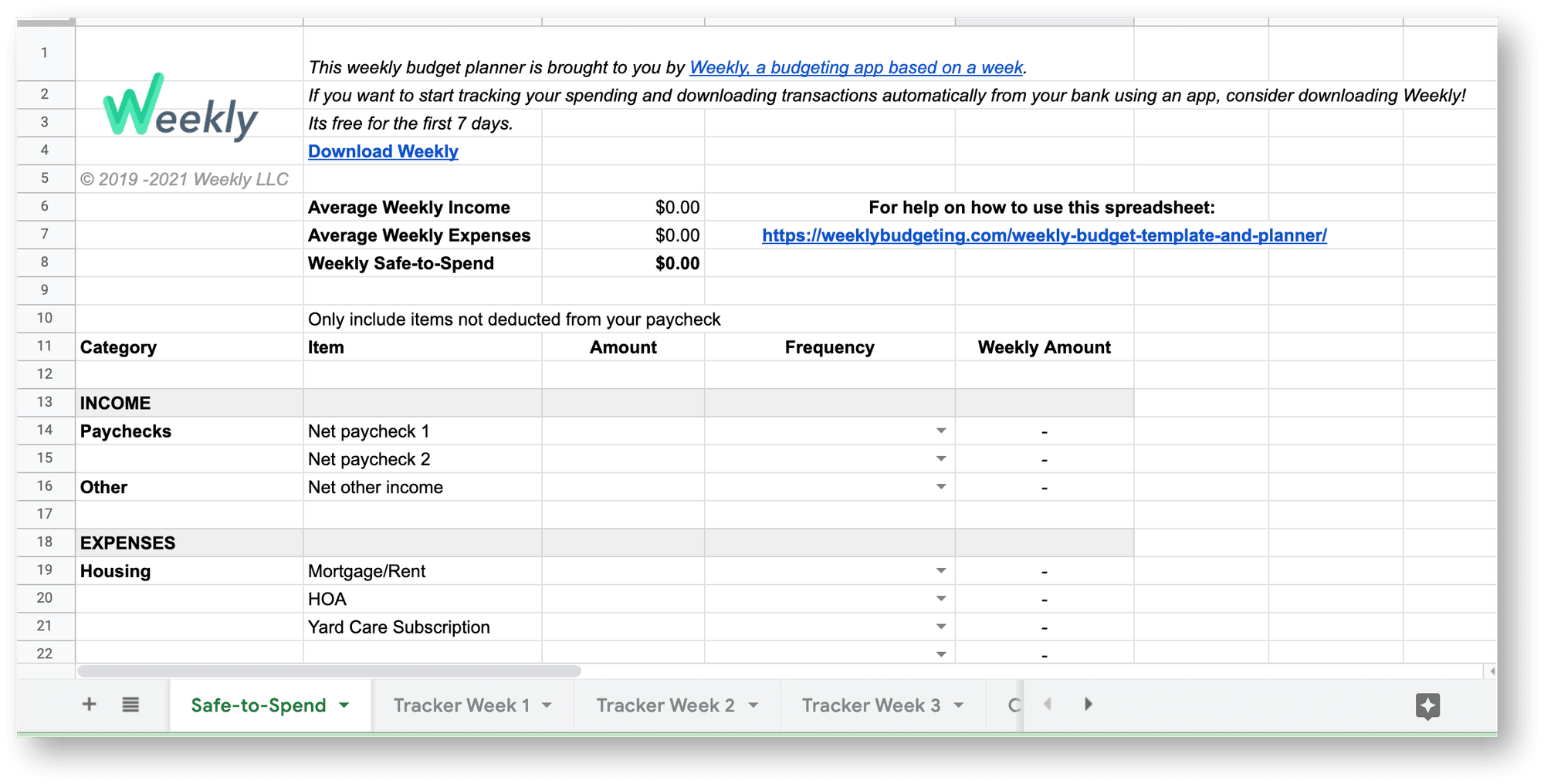
Get the template
We built Weekly as an app that keeps your finances on track with a weekly budget. The template does the same job in a spreadsheet. The instructions below show how to set it up and how to use it each week.
Rather not keep a spreadsheet up to date? The Weekly app syncs with your bank and credit cards, so your Safe-to-Spend is always current. Get it for iOS or Android.
Step 1: Work out your weekly budget
A weekly budget starts with one number, your Safe-to-Spend. Open the sheet named "Safe-to-Spend". This is where you enter your recurring income and expenses. The spreadsheet converts each one to a weekly amount and tells you what you can safely spend in a week.
Enter your regular income
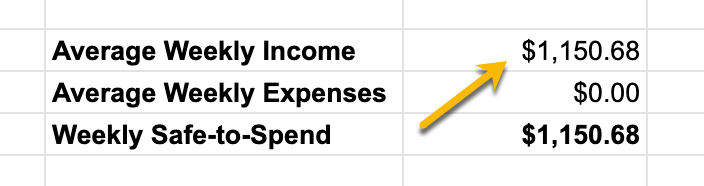
Find a recent paycheck and enter the amount you were paid, after taxes, on the line "Net paycheck 1". Use "Net paycheck 2" if you have a second income.
Then choose how often you're paid from the dropdown: Weekly, Every Two Weeks, Twice a Month, Monthly, Every 3 Months, or Every 6 Months.

The template works out the weekly equivalent of your income and shows it at the top, next to "Average Weekly Income".
Add your committed expenses
Keep your bank and credit card statements nearby for this part.
A committed expense is one where you know the amount in advance and it's paid on a regular schedule. Your mortgage is a committed expense. So are subscriptions like Netflix or a gym membership.
Most committed expenses are monthly, like a phone bill. Some are not. You might have a yearly pool membership or a quarterly subscription.
In the second section of the sheet, describe each expense and choose how often it's paid.
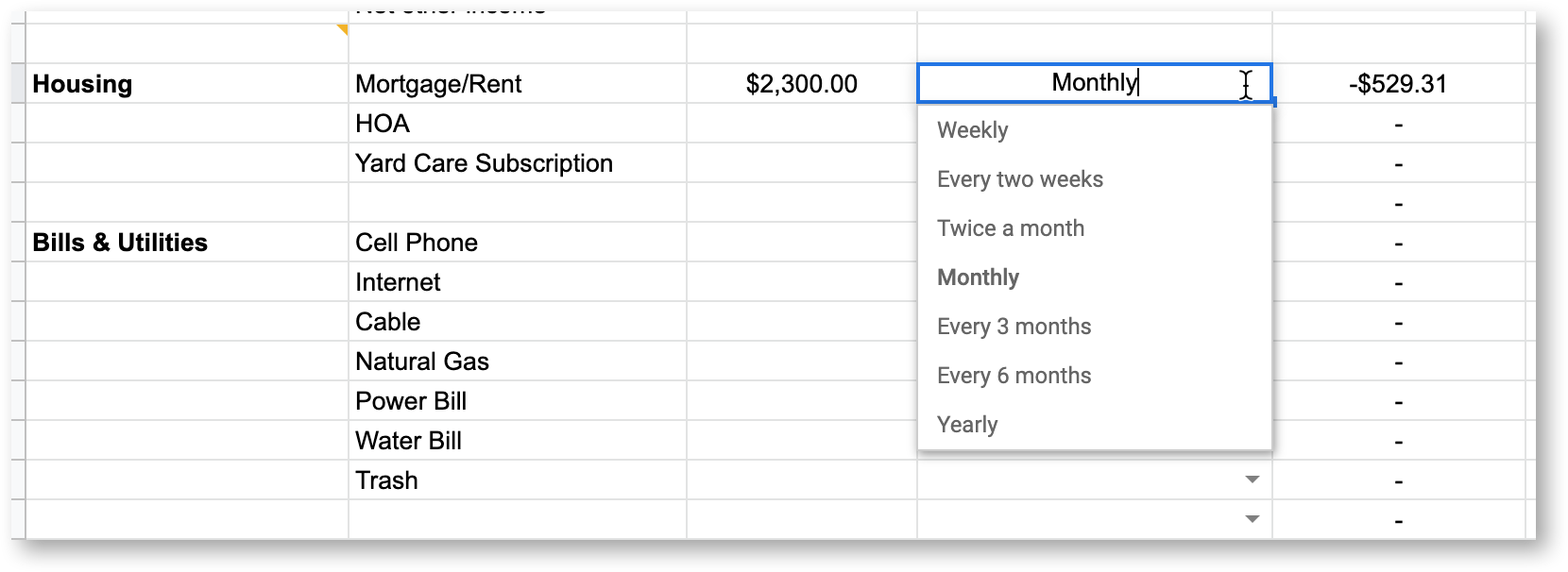
The template converts each expense to a weekly amount, as it did for income. The sheet lists a range of categories to help you remember everything you've committed to.
The total appears at the top of the sheet, next to "Average Weekly Expenses".
Read your Safe-to-Spend
With your average weekly income and average weekly expenses filled in, the sheet shows your weekly Safe-to-Spend.
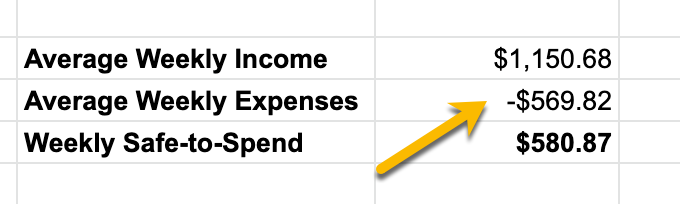
Think of it as an adult allowance. Spend less than this each week and your finances stay in good shape.
Step 2: Track your spending each week
The tabs at the bottom of the spreadsheet include "Tracker Week 1", "Tracker Week 2" and "Tracker Week 3". There is also a "Calculations" tab, which holds the ratios used to convert income and expenses to weekly amounts. Don't change anything on that tab.
Tracker Week 1
Open "Tracker Week 1". The "Weekly Safe-to-Spend" at the top is carried over from the first sheet. In our example it is $580.87.
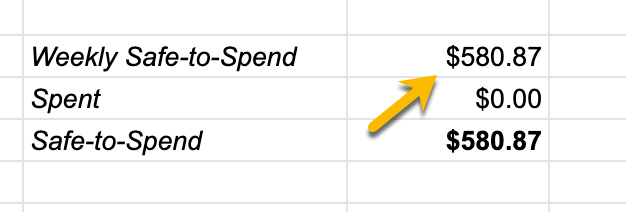
The sheet has columns for Date, Description and Amount. Enter your day-to-day expenses here. These are the purchases that aren't part of your recurring expenses, like coffee, movies, gas and groceries.
Each amount is subtracted from your Weekly Safe-to-Spend, and the sheet shows what you have left. Keep that number above zero each week.

Enter expenses as negative numbers. If money comes in that isn't part of your regular income, enter it as a positive number. In the example above, "Reimbursement for dinner" is positive.
Whatever is left at the end of the week rolls over to the next one. If you overspent, the shortfall rolls over too and reduces what you have next week.
Tracker Week 2
Open "Tracker Week 2" when a new week starts. It works like Week 1, with one more line, "Rollover". This is the amount left from the week before. It's positive if you spent less than your limit and negative if you spent more.
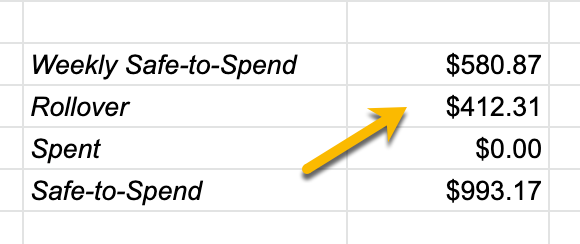
To ignore the rollover for a week, delete the number.
Week 3 and beyond
"Tracker Week 3" works the same way as Week 2.
To keep going after week 3:
- Make a copy of the "Tracker Week 3" sheet and name it "Tracker Week 4".
- Set the "Rollover" amount on the new sheet to the final Safe-to-Spend from Week 3.
- Repeat for each new week.
There's an app for this
If entering transactions by hand gets tedious, try Weekly. It downloads transactions from your bank and credit cards and keeps your Safe-to-Spend up to date wherever you are.
The logic of a weekly budget is the same in an app or a spreadsheet. It works because you stop counting every dollar and still get the benefit of having a budget.