
What the beta is
We are a small team, and you know your budget better than we do. So before a new feature goes out to everyone, we give it to a group of Weekly users who asked to try things early.
You use the feature with your real budget. You tell us what worked and what did not. We fix it, and then we decide how it ships.
How it works
- It is free. A beta feature costs nothing while the beta runs, with or without a Weekly PRO subscription.
- It is in the app you already have. There is no second app to install. We turn the feature on for your account, and it appears the next time you open Weekly.
- It is for a limited time. A beta runs until we have the feedback we need. Then we wrap it up and tell you what happens next. Some features will be part of PRO.
- It can change the app. Most beta features add a new button or a new screen. Some move things around, or replace something that is there today. We tell you what changes when we turn it on.
- You can leave. Send us a message and we turn it off.
In beta now: receipt scanning
Take a picture of a receipt, and Weekly fills in the transaction for you. It reads the store, the total, the date and what you bought. Then it picks the category or fund it fits best.
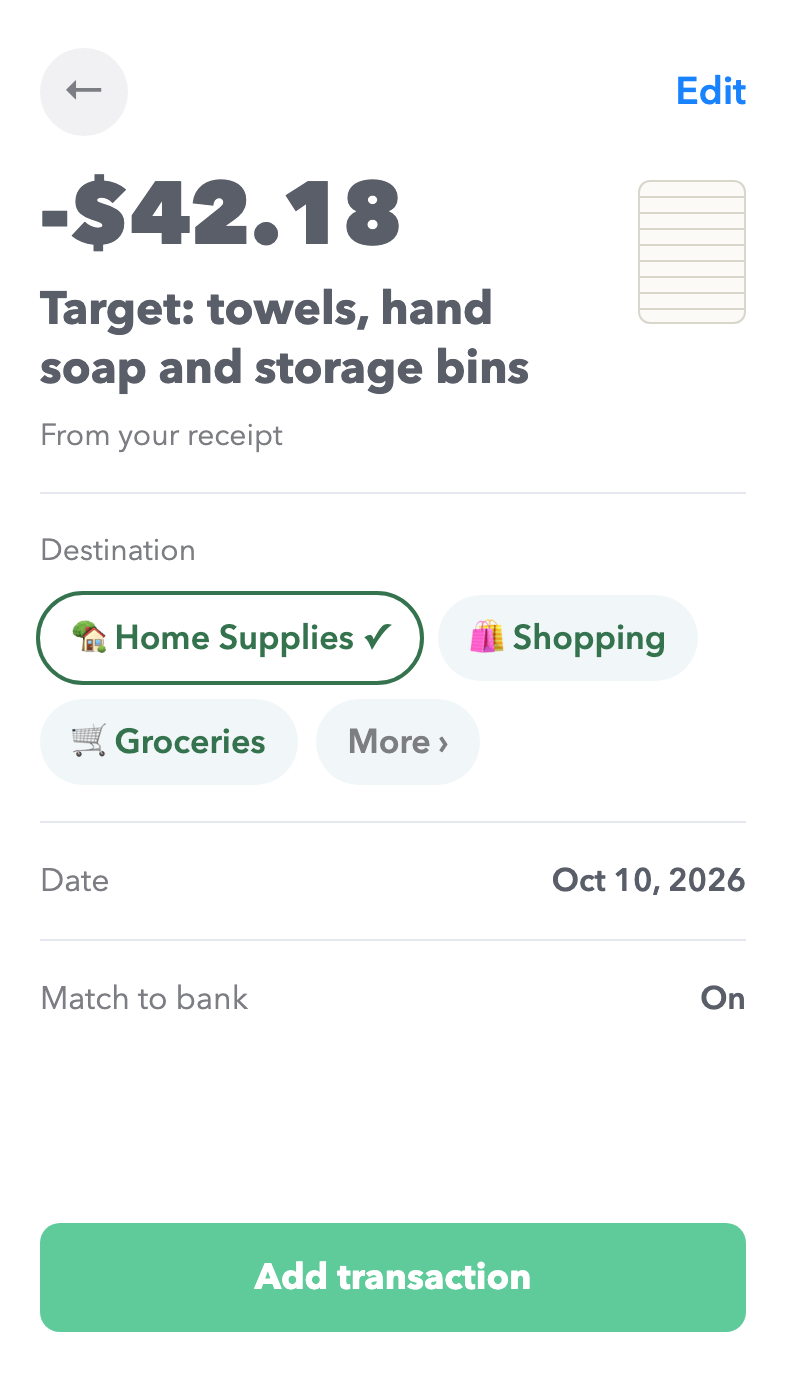
Why we think you will like it:
- No typing. One picture adds the purchase.
- Your budget updates right away. You do not wait for the bank to post the charge.
- It works without a bank connection.
- It knows more than the bank does. You see what you bought, where the bank only says "Amazon".
- It works for screenshots too. An order confirmation on your phone scans the same way.
- It keeps the receipt. The picture stays with the transaction, for a return or a second look.
Receipt scanning is on iPhone for now.
How to join
Ask us from inside the app. That way we know which account to turn it on for.
- Open Weekly and go to More.
- Under Help & Support, tap Contact Support.
- Tell us you want to try beta features.
We add you to the list and write back. When a new beta starts, you hear from us first.
What we ask of you
Use the feature the way you normally would, and tell us the truth about it. A short note is enough. "It put my groceries in the wrong category" helps us more than a long review.
Every reply goes to a real person on our team, and we read all of them.